If you travel to Auckland for work, price alerts are a powerful tool — when used with rules. Set alerts for multiple routes and hotels, then layer a short decision framework so you don’t click “buy” the moment you see a drop. The practical approach: capture changes, verify refundable and change policies on the provider’s final booking page, compare alternatives (times, carriers, connections, and corporate benefits), and only act when the alert meets your preset criteria. This keeps travel options open for last-minute meetings while preventing budget-stretching impulse purchases. The rest of this guide explains sensible alert settings, what to compare before booking, tradeoffs you’ll face as a business traveler, and a concise checklist to use every time an alert pings.
See current options before you compare the details
Availability and final conditions change. Open Trip.com now or keep reading for the practical comparison.
Set alerts that reflect business priorities
When configuring alerts for Auckland travel deals, choose parameters that match how you travel for work. Instead of a single generic alert, create several: one for your preferred flight window, one allowing a single connection, and one for nonstop or shortest travel time. Include hotel alerts for the areas you use most — near the central business district, convention centers, or an airport hotel if early meetings are common. Label each alert clearly so that the email or app notification immediately communicates what kind of option it represents and why it matters to you.
For each alert, define a trigger you can act on. That could be a percentage drop, a fixed amount, or a move from nonrefundable to a refundable fare class. Because business travel often changes, prefer alerts that capture both price and policy shifts. Many systems allow you to track fare rules or seat availability; if available, enable those notifications too. Finally, consolidate alerts into a single inbox or folder so you don’t miss something important during a busy workday.
Use a short decision protocol to prevent impulse buys
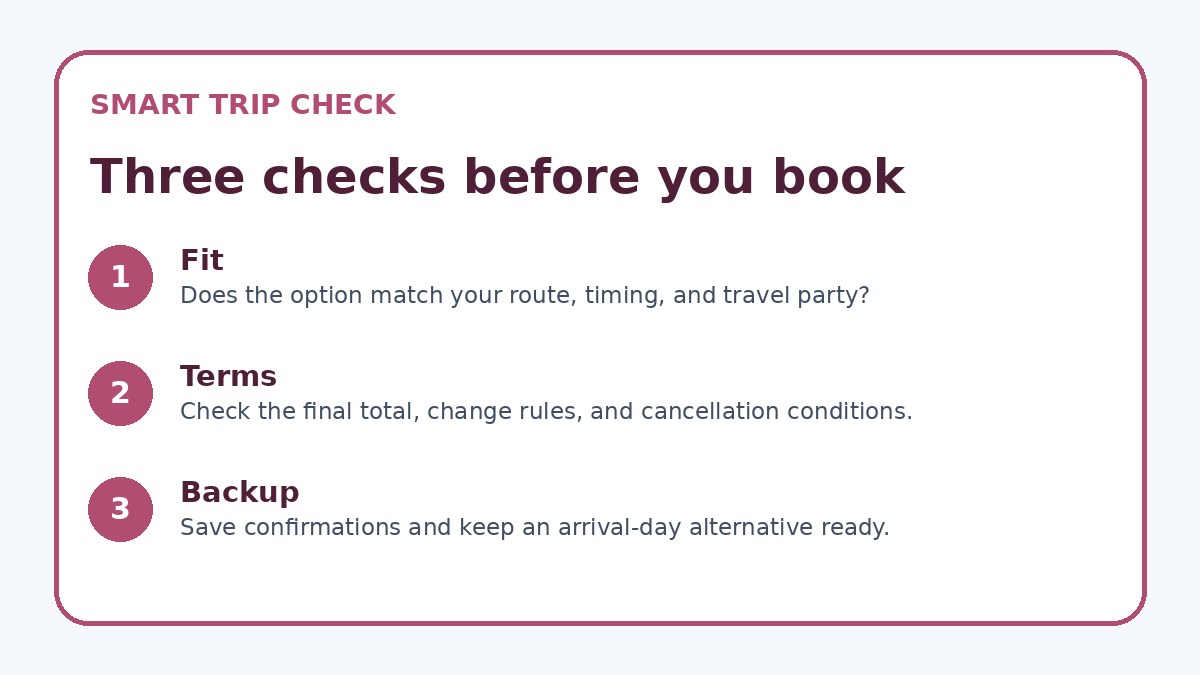
Create a three-step decision protocol to follow when an alert arrives. Step one: confirm the route, times, and total door-to-door travel duration still meet the business need. Step two: check the provider’s final booking page for refundability, change fees, and whether corporate rates or loyalty benefits apply. Step three: apply your hold rule — for instance, wait 12–48 hours unless your travel dates are fixed or a meeting is confirmed. This routine reduces emotional responses to a sudden drop and ensures every booking aligns with company policy and personal calendars.
Document the protocol where you’ll see it — a short note in your calendar invite template or a pinned checklist in your travel app. If you work with a travel manager or agency, share the protocol so they can respect your thresholds. When a booking might conflict with company expense rules or loyalty status, escalate before purchasing. The protocol shouldn’t be onerous; it should be quick, consistent, and designed to preserve options rather than force immediate commitment.
| Approach | Best for | Tradeoff to check |
|---|---|---|
| Immediate booking on every alert | Travelers with fixed, non-negotiable dates who can’t risk price increases | High chance of impulse buys and less flexibility if plans change |
| Hold-and-wait protocol (24–48 hours) | Most business travelers balancing price sensitivity with schedule flexibility | May lose brief flash fares but avoids stressful last-minute decisions |
| Only book refundable/flexible fares | Frequent changers and those with uncertain meeting schedules | Higher upfront cost but lower risk and easier itinerary changes |
| Use corporate travel manager to confirm alerts | Teams with centralized booking and expense controls | Slower process and potential approval delays, but aligns policy and support |
Ready to check the option that fits your plan?
Use your exact dates and traveler details so the provider page can show the current total and conditions.
Compare tradeoffs: price, time, and flexibility
A lower headline fare often comes with tradeoffs that matter for work: tighter connection windows, multiple stops, restrictive change policies, or inconvenient arrival times. When an alert highlights a low fare for Auckland, compare the total time on the itinerary, the minimum connection times, and likely transfer logistics at connecting airports. Consider how a later arrival could affect evening meetings or an early departure could increase the chance of missed connections. For domestic legs within New Zealand or regional connections to Auckland, check whether a connection adds risk versus paying slightly more for a direct or shorter route.
Flexibility is another currency for business travelers. A refundable or flexible ticket lowers the real cost of uncertainty, especially if meetings are tentative. When evaluating alerts, calculate the effective value of flexibility by comparing change fees and fare differences. Also consider corporate benefits — seat choice, lounge access, or holding privileges — which can save time and reduce stress even if the fare is higher. If you’re using corporate booking tools, verify on the provider’s final booking page whether the fare qualifies for the benefits you expect.
Before you book
- Create specific alerts for preferred flight windows, connection limits, and hotel neighborhoods in Auckland.
- Before booking, open the provider’s final booking page and confirm refund, change rules, and baggage policy.
- Compare total door-to-door time and connection risk, not just the headline fare.
- Apply a preset hold period (for example, 24 hours) before completing non-urgent bookings.
- Document and share your booking protocol with your travel manager or assistant if you use one.
- If booking through a corporate tool, verify loyalty and corporate rate eligibility on the final page.
Behavioral tactics to avoid impulse booking
Impulse buys are often driven by urgency cues in alerts. Reduce that pressure by removing the single-click path from alert to purchase: disable one-click buying in apps, unsubscribe from aggressive deal lists, and require a short cooling-off period before you book. Use calendar blocking: when an alert looks good, add a tentative travel slot to your calendar and set the booking decision for the end of your hold period. That short gap usually clears the instinctive reaction and reveals whether the price is truly worth changing plans.
Another practical tactic is to prepare fallback options before any alert arrives. Have a preferred set of carriers, times, and hotels that meet your baseline needs in Auckland so you can quickly judge whether an alert is a real improvement. Keep a preapproved list of payment methods and approval contacts for urgent buys. If you book through a corporate portal, coordinate alert thresholds with your travel manager to ensure compliance and easier post-booking support. If you want to cross-check availability before finalizing, services like Trip.com can be used to compare current conditions, but always verify terms on the provider’s own booking page.
Frequently asked questions
How should I set price-alert thresholds for Auckland trips when dates are flexible?
When dates are flexible, set multiple alerts: one for your ideal dates, another with ±2–3 days flexibility, and a third for the cheapest calendar-wide option. Use thresholds based on meaningful savings (a percentage or fixed amount that justifies changing a meeting date). Also create an alert for fare class changes to catch moves from nonrefundable to refundable options. This layered approach helps you see whether price drops are one-off flashes or part of a broader trend that can justify adjusting travel dates.
What policies should I always check on the booking page after an alert triggers?
On the provider’s final booking page, verify refundability, change fees, name-correction policies, baggage allowances, and seat-assignment rules that affect business travel. Confirm whether the fare earns loyalty points or qualifies for corporate rates and that any listed restrictions match your company’s expense policy. If you’re booking connecting flights under one ticket, check whether the itinerary protects you through missed connections. For train or regional carriers, confirm transfer options. These details determine the true flexibility and cost, not just the headline fare.
Can I rely on third-party alert services for corporate bookings to Auckland?
Third-party alert services are useful for spotting market movement, but don’t rely on them as the final authority. Use alerts as a prompt to inspect the provider’s own booking page, where the exact fare rules, change conditions, and availability appear. If your company uses a corporate booking tool or travel manager, route alerts to them as well to ensure compliance and support. Trip.com can be used as an additional comparison source, but always verify terms and availability on the airline or hotel’s official page before committing.
Final planning note
Price alerts can save time and money for Auckland business travel, but only if you have rules that prevent impulse buys. Use multiple, labeled alerts that reflect the travel windows and flexibility you need, and follow a short decision protocol that checks total travel time, fare rules, and corporate eligibility on the provider’s final booking page. Apply a brief hold period to remove emotional urgency and compare flexible versus cheap fares in terms of real value to your itinerary. With consistent habits and a few simple safeguards, alerts become a decision-support tool rather than a temptation — helping you keep trips efficient, professional, and easier to change when business needs shift.
Continue planning
Check current options and final conditions
Use the provider page to confirm live availability, the final total, cancellation terms, and every condition that matters to your trip.
This evergreen planning guide was created with AI-assisted drafting and a structured quality review. It does not display live prices, schedules, availability, visa guidance, or provider rankings. Verify current details before booking. Some links are affiliate links; we may earn a commission at no additional cost to you.