If you travel to Tokyo for work, price alerts can save time and money — but they can also prompt hasty decisions that complicate schedules. The most practical approach is to combine automated alerts with a short, fixed decision checklist: confirm firm trip dates, set a maximum acceptable fare or rate, check change/cancellation terms, and allow a cooling period of 24–72 hours before you click buy. That routine keeps you responsive to real offers without wrecking itinerary flexibility or reimbursement rules. This article walks through how to configure alerts, decide when an alert justifies booking, and what to verify on the provider’s booking page so you don’t learn cancellation rules the hard way.
See current options before you compare the details
Availability and final conditions change. Open Trip.com now or keep reading for the practical comparison.
Before you enable alerts: fix essentials
Start by confirming the non-negotiables. For business travelers this usually means firm travel dates, meeting locations in Tokyo, and your employer’s reimbursement or preferred-vendor rules. Without those anchors, a low fare will tempt you to change plans unnecessarily. Also document acceptable travel times (early arrival vs. red-eye), whether you need loyalty points credit, and any per diem or corporate card requirements. These constraints will shape which alerts matter and which are distractions.
Next, choose your alert cadence and platform based on how fast you can realistically act. For a tight, last-minute schedule you may prefer near-real-time price alerts from an airline or a reliable aggregator; for planned travel several weeks out, daily summaries are sufficient. Decide whether you want email, push notifications, or SMS, and set a simple triage rule: urgent if it meets all anchors and your savings threshold, otherwise file for review.
Configure alerts with decision triggers
When setting alerts, translate your constraints into measurable triggers. Typical triggers include a percentage or absolute drop from your target fare, availability of refundable or changeable fares, and alerts for specific cabin classes or hotel room types. Limit the alert to specific airports in Tokyo (e.g., Narita, Haneda) and preferred hotels or neighborhoods to reduce noise. Including cabin or rate-type filters prevents an alert that looks cheap but is nonrefundable or requires long connections you can’t accept.
Create a two-tier alert system: high-priority alerts for offers that meet all your criteria, and low-priority ones for opportunities that save a bit but require tradeoffs. High-priority alerts should trigger your cooling-window rule and immediate verification steps. Low-priority alerts go to a watchlist you review on a fixed schedule. This keeps you reactive to meaningful opportunities without impulse purchases driven by fear of missing out.
| Approach | Best for | Tradeoff to check |
|---|---|---|
| Aggregator alerts (broad coverage) | Quickly spotting many market moves across airlines and hotels | May show deals missing key restrictions; always verify on provider pages |
| Airline or hotel direct alerts | Reliable fare/rate terms and loyalty credit certainty | May miss cross-carrier bargains or packaged rates found by aggregators |
| Manager-approved instant booking | Urgent trips where speed and corporate approval are critical | Higher risk of paying more or accepting stricter change rules |
| Watchlist with scheduled review | Planned trips where flexibility and comparison matter | Requires disciplined review and may miss short-lived inventory |
Ready to check the option that fits your plan?
Use your exact dates and traveler details so the provider page can show the current total and conditions.
Verify what matters on the booking page
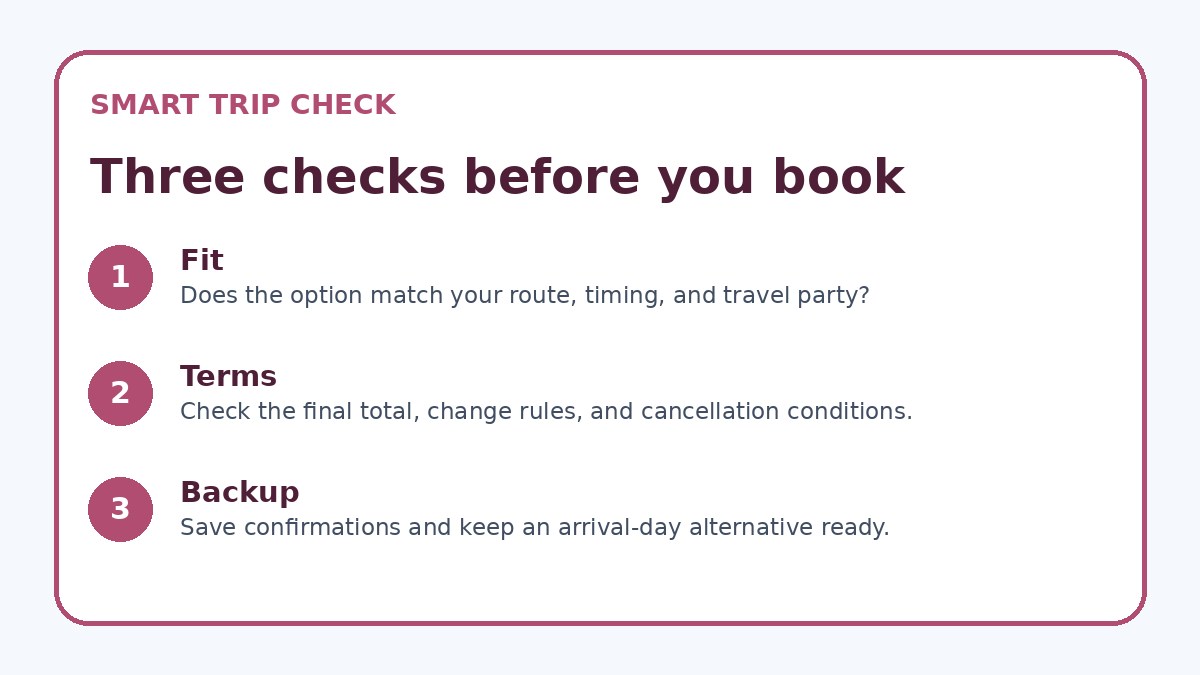
Never book from an alert alone — always open the final provider booking page and verify the details that can change after an alert: exact cancellation or change penalties, baggage inclusion, seat selection rules, and whether you’ll earn loyalty credit. If the alert came from an aggregator, cross-check the offer on the airline’s or hotel’s own page before booking; when in doubt, call the provider. The booking page is the legal source of terms, so read the fare or rate conditions carefully rather than assuming the alert’s summary is comprehensive.
Also check ancillary timelines that affect business travel: boarding times with connections, check-in windows for tight meeting schedules, and refund or invoice procedures required by your employer. If the booking is nonrefundable but allows changes for a fee, run a quick cost comparison between a more expensive refundable option and the likely change fees you might face. Make a habit of taking screenshots of the final terms and the confirmation page for corporate expense reporting and future disputes.
Before you book
- Confirm travel dates and meeting times in your calendar and lock them before enabling alerts.
- Set a clear savings threshold (percentage or absolute amount) that justifies booking after fees and transfer costs.
- Require refundable or changeable fare/rate as a condition unless manager approval is documented.
- Always open the final provider booking page and screenshot the full terms before completing payment.
- Wait a predefined cooling period (24–72 hours) after a high-priority alert unless urgent approval is given.
- Log confirmation numbers, cancellation deadlines, and invoice requests immediately in your expense tool.
Practical booking rules and post-booking follow-up
Adopt a simple decision checklist you must complete before booking: confirm approver or manager sign-off if required, verify the booking page terms, ensure the fare or rate meets your savings threshold, and wait the cooling period you set. If an alert meets every checklist item, proceed — otherwise, add the alert to your monitored watchlist. A small, enforced delay prevents emotional purchases and gives you time to compare direct-provider options, checked by your employer’s travel policy.
After booking, immediately save confirmation emails, note cancellation deadlines in your calendar, and capture any refundable or changeable fare codes. If your company requires invoices or specific fare breakdowns, request them from the provider right away. Finally, if your alert source was an aggregator, consider adding a direct-provider alert for the same route or hotel so you catch last-minute changes that aggregators sometimes miss; Trip.com can be used once as a comparison point, but always rely on the final provider page for terms.
Frequently asked questions
How do I avoid impulse buys when an alert shows a big drop for Tokyo travel deals?
Treat every alert as information, not a command to buy. Use your checklist: confirm dates, check reimbursement rules, verify fare/rate conditions on the provider page, and apply your cooling period. If the alert satisfies your pre-set savings threshold and employer rules, proceed — otherwise put it on a watchlist. Limiting push notifications to only high-priority triggers also reduces reflex purchases caused by attention-grabbing alerts.
Should I prefer refundable fares when booking for work, even if they cost more?
Refundable fares offer flexibility important to many business travelers, but they aren’t always necessary. Compare the premium for refundable tickets with likely change fees and your organization’s policies. If meetings are tentative or cancellations are common, refundable options can save stress and administrative time. If your company restricts refundable fares, document manager approval for exceptions and keep proof of the fare terms from the booking page.
What exact things must I verify on a booking page before paying?
Check these items on the provider’s final booking page: full cancellation and change penalties, included baggage and seat selection rules, ticket or rate restrictions (nonrefundable, advance-purchase), loyalty program credit eligibility, and invoice/receipt options required by your company. Also confirm airport of origin/destination and connection details. If any of those are different from the alert, pause and reassess. Do not rely on the alert copy alone — the booking page is the authoritative source.
Final planning note
Price alerts are a powerful tool for business travelers to Tokyo when paired with clear rules that prevent reactive decisions. Lock your essential trip elements first, create measurable alert triggers, and maintain a short cooling period so you don’t buy under panic or pressure. Always verify the provider’s booking page for cancellation, change, and ancillary rules before finalizing any purchase; that step protects your schedule and expense approvals. Using a disciplined alert workflow gives you access to market moves while keeping your itinerary predictable and compliant with corporate policies.
Continue planning
Check current options and final conditions
Use the provider page to confirm live availability, the final total, cancellation terms, and every condition that matters to your trip.
This evergreen planning guide was created with AI-assisted drafting and a structured quality review. It does not display live prices, schedules, availability, visa guidance, or provider rankings. Verify current details before booking. Some links are affiliate links; we may earn a commission at no additional cost to you.