If you travel to London for work, price alerts can save time and money — but they can also tempt you into last-minute impulse bookings that disrupt plans or expense approvals. The practical approach is to treat alerts as information, not as a call to immediate action: set alerts with clear thresholds tied to your company policy and personal priorities, then use a short decision checklist before booking. That checklist should include meeting needs (location and check-in time), cancellation flexibility, approved vendors or cards, and whether the possible savings justify itinerary changes. Use alert cadence and filtering to reduce noise: limit alerts to specific airports, flight durations, refundable fares, or hotels in pre-approved neighborhoods. Finally, always confirm final rules, baggage, and corporate policy on the provider’s booking page before completing a purchase — it’s the only place the live terms and any fees appear.
See current options before you compare the details
Availability and final conditions change. Open Trip.com now or keep reading for the practical comparison.
Set alerts that respect business constraints
Business travel needs are different from leisure: arrival windows, rail connections, late meetings, and loyalty carrier rules matter. When creating flight or hotel alerts for London, pick only the airports, times, and fare classes you’ll actually use. For flights that must get you to central London quickly, for example, limit alerts to Gatwick, Heathrow, or direct routes that fit your meeting schedule rather than every low-cost carrier offering a marginally cheaper arrival outside business hours.
Also set minimum flexibility requirements: require refundable or changeable fares if your company policy or role frequently shifts plans. For hotels, filter alerts by neighborhoods near your meetings and by flexible cancellation. These upfront filters reduce temptation by surfacing only realistic options. Remember to verify the fare rules, cancellation window, loyalty accrual, and corporate booking allowances on the provider’s final booking page before confirming — those live details determine whether the alert is truly usable for your trip.
Create a decision rule to avoid last-minute impulses
Impulse booking usually follows an emotionally framed alert — a big percentage off or a tight deadline. Counter that with a simple, repeatable decision rule. For example: if the alert meets your pre-set savings threshold AND the flight or hotel matches schedule and cancellation requirements, add the option to a shortlist and wait a fixed hold period (two to 24 hours depending on urgency). Use that time to verify calendar conflicts, check corporate policy, and compare alternatives.
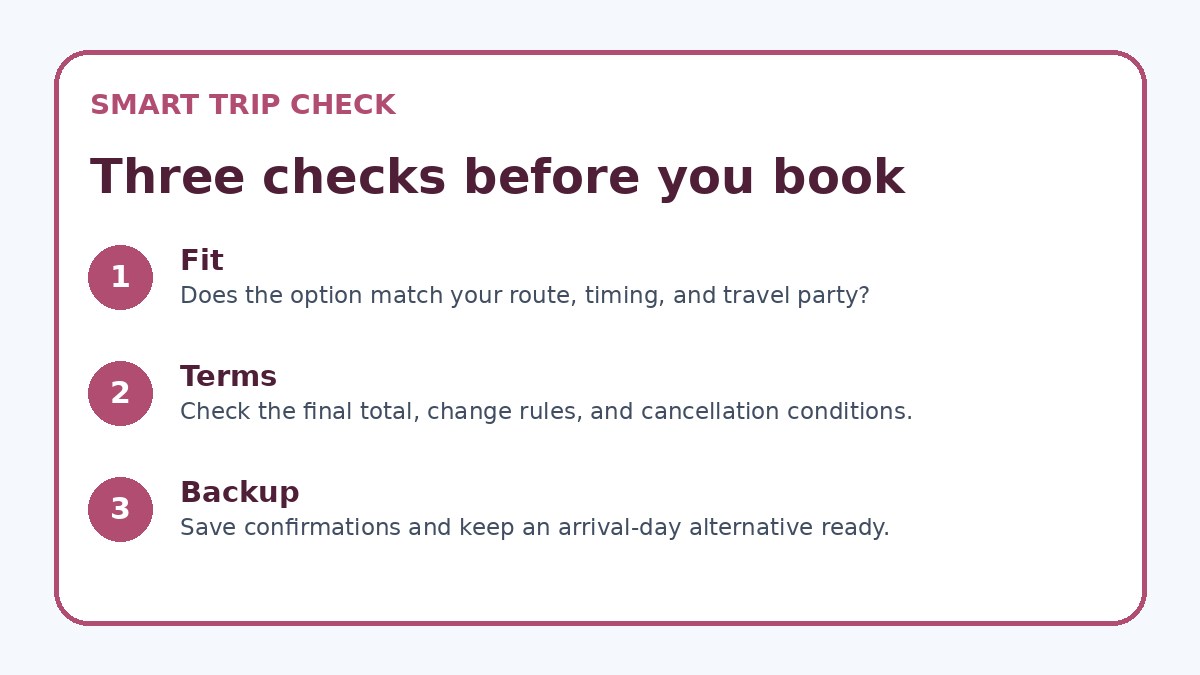
During the hold period perform three quick checks: confirm local meeting logistics and transfer times, confirm refund/change terms on the provider page, and ensure the method of payment and vendor are allowed by your employer. If any check fails, delete the alert or pause it. If all pass and the booking still makes sense, proceed. This structured pause removes emotional pressure and keeps bookings aligned with professional needs.
| Approach | Best for | Tradeoff to check |
|---|---|---|
| Immediate booking on alert | Travelers with inflexible work windows who must secure one good fare quickly | Higher risk of non-compliance with expense rules and less time to verify refund or connection details |
| Short hold period (2–24 hours) | Busy travelers who can pause briefly to verify logistics and approvals | Some savings may disappear during the hold; requires disciplined follow-up |
| Pre-approved vendor list + alerts | Employees in companies with strict vendor or card requirements | Fewer alert matches but cleaner approvals and simpler expense processing |
| Conservative alerts (refundable only) | Travelers with unpredictable schedules or high expense-policy risk | Higher upfront cost or fewer deeply discounted options |
Ready to check the option that fits your plan?
Use your exact dates and traveler details so the provider page can show the current total and conditions.
Design alert settings and tools for clarity
Not all alert tools are equal. Use platforms that let you filter by fare type, number of stops, exact hotel neighborhood, and refundable rates. Label or tag alerts (for example: ‘London—Heathrow AM, refundable’) so you immediately know whether a match fits your business constraints. If your company uses a preferred booking tool, set alerts to match what that tool reports to avoid surprises during approval.
If you rely on a consumer aggregator, remember to open the provider’s actual booking page before finalizing any purchase: fees, baggage allowances, and corporate discounts often appear only there. Trip.com can be used once as a place to compare current availability and conditions, but always cross-check provider terms. Use email rules or a dedicated alert folder to separate business alerts from personal ones and reduce the risk of impulsive cross-purpose bookings.
Before you book
- Set alert filters to only include the London airports, arrival windows, and fare classes that meet your meeting schedule.
- Decide and record a minimum savings threshold or condition that must be met before any alert can be acted on.
- Use a fixed hold period to pause after an alert and run a three-item verification: schedule fit, cancellation terms, and employer approval requirements.
- Open the provider’s final booking page to confirm baggage, change/cancel rules, and payment options before confirming any reservation.
- Ensure the payment method and invoicing will satisfy your company’s expense policy and get pre-approval if required.
- Save screenshots of the alert, fare rules, and confirmation emails; add calendar reminders for critical cancellation or change deadlines.
Manage approvals, receipts, and post-booking risks
Even a well-intentioned booking can create compliance and expense headaches. Before you click confirm, ensure the payment method, invoicing needs, and expense coding are clear. If your employer requires pre-approval for changes or a travel manager’s sign-off, loop them in during the alert hold period. Keep screenshots of the fare rules and the alert itself in case approval queries arise later.
After booking, set calendar entries for cancellation deadlines and any change fee windows so you can act if a better approved option appears. If you must cancel, follow the provider’s cancellation route described on their booking page and save confirmations. Periodically review alert performance against saved bookings to refine thresholds and filters—tightening or relaxing them based on real saved time and cost.
Frequently asked questions
How do I pick which London airport(s) to include in alerts?
Choose airports that minimize door-to-door time and align with meeting locations. If you have meetings in central London, prioritize Heathrow and Gatwick and filter for arrival times that let you reach meetings without overnight risk. If meetings sit east or south, include City or Stansted with attention to local transit connections. Use alert filters for total travel time and arrival window rather than selecting the cheapest airport alone, and verify transfer options and times on the provider’s booking page before booking.
What refund or change terms should I require for business trips to London?
Require at minimum a fare that allows paid changes with a reasonable fee or a refundable rate if your role often faces late changes. For hotels, prefer rates with free cancellation until a day or two before arrival when possible. The exact acceptable level depends on your company’s tolerance for change fees and who pays them. Always read the provider’s live cancellation and change policy on the booking page — that is where any blackout dates, penalties, or processing steps are specified.
Can I use consumer alert services alongside my company’s travel tool?
Yes, but align filters and approval steps. Consumer alert services can surface deals faster, but bookings must meet company vendor policies and be booked with approved payment methods. If a consumer alert finds an attractive option, use the hold period to check whether it can be matched or approved through your corporate tool; if not, document the case and get manager approval. Remember to verify the final terms on the provider’s booking page and keep evidence for expense reporting.
Final planning note
Price alerts can be a time-saving asset for business travel to London if you structure them around your professional needs instead of reacting emotionally to every notification. Use tight filters, a pre-set savings threshold, and a short, mandatory hold period to verify schedule, cancellation terms, and corporate approvals before booking. Confirm everything on the provider’s final booking page and keep documentation for expense processing. Over time, refine your alert settings by reviewing which notifications produced usable bookings versus distractions. That discipline turns alerts into a strategic tool that saves money and keeps your travel program compliant and predictable.
Continue planning
Check current options and final conditions
Use the provider page to confirm live availability, the final total, cancellation terms, and every condition that matters to your trip.
This evergreen planning guide was created with AI-assisted drafting and a structured quality review. It does not display live prices, schedules, availability, visa guidance, or provider rankings. Verify current details before booking. Some links are affiliate links; we may earn a commission at no additional cost to you.