
If you’re traveling to Abu Dhabi for work, price alerts can save time and help you spot genuine fare or room windows — but they can also tempt you into impulsive booking that conflicts with corporate rules or conference schedules. The practical approach is to treat alerts as signals, not commands: set narrow, relevant alerts, define a personal decision checklist (policy fit, schedule alignment, refundability), and use a short “cooling-off” routine before you click Confirm. For multi-leg business itineraries, alerts should be paired with a verification step for connections, visa and meeting timing, and employer travel approval. This guide walks through concrete ways to configure alerts, evaluate tradeoffs, and set rules that let you capture opportunities for Abu Dhabi travel deals without undermining your business priorities.
See current options before you compare the details
Availability and final conditions change. Open Trip.com now or keep reading for the practical comparison.
Design alerts that match a business itinerary
Business trips have more constraints than leisure ones: fixed meetings, preferred arrival windows, and corporate vendor rules. When creating flight or hotel alerts for Abu Dhabi travel deals, narrow them to the specific airport (Abu Dhabi International) or city zone and to the exact dates or a tight date range around your meeting. Avoid wide flexible-date alerts that generate many false positives and create urgency. Use filters for nonstop versus one-stop options if you need to minimize travel time. If you must allow connections, include maximum total journey time and layover constraints so alerts only surface viable business options.
Also align alerts with your employer’s approved classes, preferred carriers, or negotiated hotel programs. If your company requires pre-trip approval or travel agency booking, route the alert information to the right decision-maker rather than booking immediately. Consider separate alerts for outbound and return legs and for room types required for work (quiet rooms, business center access) so you don’t end up with a bargain that fails a core business need. This upfront precision reduces impulse bookings that later require costly changes or policy exceptions.
Set decision rules to prevent impulse purchases
Impulse purchases usually happen when an alert appears and you act emotionally rather than methodically. Create a short, repeatable decision rule that you follow whenever an alert triggers: check corporate policy, confirm meeting times and transfer logistics, compare a flexible alternative, and wait a defined cooling-off period before booking. Put these steps in a single checklist on your phone or email template so you can process alerts quickly but deliberately. If the alert meets all criteria, proceed; if not, archive it and let the alert continue monitoring.
Make financial terms part of your rule: require refundable or changeable fares if your schedule isn’t fully fixed, or at minimum permit name-change or fee-free date changes per company tolerance. When alerts present nonrefundable deals, insist on an approval from your travel manager and document the business justification before purchasing. This process creates friction that’s healthy: it blocks impulse decisions while still allowing you to act fast when an alert genuinely aligns with business needs.
| Approach | Best for | Tradeoff to check |
|---|---|---|
| Immediate booking on alert | When dates are locked and approvals are in hand | Fast action but higher risk if plans change or approvals are incomplete |
| Cooling-off plus approval | Most business travelers balancing opportunity and compliance | May lose the cheapest restricted fares but preserves policy alignment |
| Book flexible option proactively | Executives whose schedules often shift | Higher upfront cost for lower change risk and less stress |
| Monitor-only with alerts to travel manager | Teams that centralize bookings through a travel desk | Slower reaction time but ensures company policy and negotiated rates |
Ready to check the option that fits your plan?
Use your exact dates and traveler details so the provider page can show the current total and conditions.
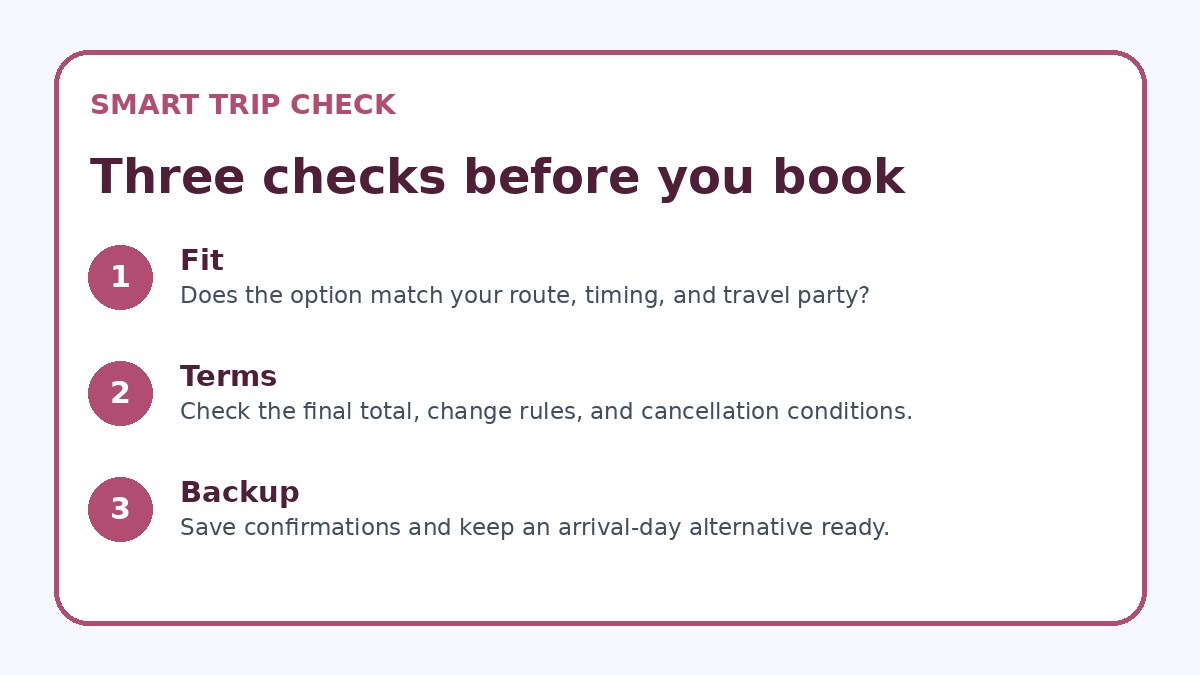
Compare options: speed, cost, and flexibility
When an alert surfaces a tempting fare or room rate, compare three axes: travel time (directness and connection risk), cost including change fees, and flexibility for shifts in meeting timing. For flights to Abu Dhabi, a slightly higher fare with more flexible change rules can be less risky than a cheaper, restricted option that forces last-minute penalties. For hotels, evaluate cancellation windows, corporate billing options, and proximity to meeting locations. Put the alerted option side-by-side with a flexible alternative and quantify potential change costs before deciding.
Use provider booking pages to confirm the exact fare conditions — refundable status, ancillary fees, minimum-stay restrictions, and cancellation penalties — because those details can change between vendors. You can use a third-party comparison site such as Trip.com to spot current availability, but always verify the final conditions on the carrier or hotel’s own booking page before purchase. Documenting this comparison helps you obtain approvals and reduces the chance of post-booking regrets.
Before you book
- Confirm meeting dates, arrival window, and required airport or hotel zone before activating alerts.
- Set alerts with filters for stops, total journey time, and desired room type to avoid irrelevant deals.
- Define acceptable fare or room change/refund terms that comply with your corporate travel policy.
- Apply a 24–72 hour cooling-off rule and seek travel manager approval for nonrefundable alerts.
- Compare the alerted option to at least one flexible alternative and check final terms on the provider page.
- After booking, store confirmations in your travel folder and notify the travel manager with the purchase rationale.
Practical tactics for monitoring and follow-up
Keep alert noise manageable by setting a sensible cadence: receive immediate alerts only for truly time-sensitive routes, and batch other alerts into a daily digest. Use labels or folders in your alert tool to separate ‘confirmed-need’ trips (where dates are locked) from ‘watch’ trips (where you’re waiting for a deal). For trips to Abu Dhabi that depend on conference confirmations or client schedules, mark alerts as conditional so you don’t mix them with trips that already have approvals. This approach avoids decision fatigue and keeps important signals visible.
After booking, save the alert details and vendor booking confirmation in a single travel folder and notify your travel manager with the rationale and terms. Revisit any nonrefundable commitments immediately if meeting times shift: your pre-established decision rules should tell you when to cancel and when to request a corporate exception. Finally, audit your alert outcomes periodically to improve filters and decision thresholds so you reduce false positives and better capture useful Abu Dhabi travel deals over time.
Frequently asked questions
How tightly should I narrow alert parameters for an Abu Dhabi business trip?
Narrow alerts to the actual airport pair or hotel neighborhood, exact dates or a tight ±1–2 day window, and required travel features (nonstop or max journey time). Business travel has less tolerance for timing variance, so broad flexible-date alerts often produce irrelevant results that create impulse pressure. Tight filters reduce noise and make it easier to judge whether an alert truly fits your schedule and employer requirements. If you’re open to alternatives, create a separate ‘watch’ alert with wider parameters to avoid contaminating the primary decision stream.
What refund or change rules should I accept when targeting deals for Abu Dhabi?
Choose refund or change rules based on how fixed your meetings are: if dates are locked, a restricted fare might be acceptable; if there’s any chance of change, prefer refundable or low-change-fee options. Always document the acceptable thresholds in advance—maximum change fee, whether name changes are allowed, and how many days before travel changes are permitted—so you can evaluate alerts quickly. For nonrefundable purchases, obtain explicit managerial approval and note any business justification to simplify later expense reconciliation or exceptions.
How can I verify an alerted fare or rate before booking?
Use the alert as a prompt, then check the provider’s booking page for exact terms: cancellation policy, baggage and ancillary fees, change fees, and any minimum-stay or prepayment requirements. If the alert came from an aggregator, confirm the fare class and ticketing carrier on the airline’s site or the hotel’s direct page before finalizing. You may optionally cross-check availability on a site like Trip.com, but the vendor’s final booking page is the authoritative source for conditions you must accept if you buy the ticket or room.
Final planning note
Price alerts are a valuable tool for business travelers to Abu Dhabi when used with restraint and clear decision rules. By narrowing alert parameters to match your itinerary, requiring predefined refund or change tolerances, and applying a short cooling-off and approval step, you can capture useful opportunities without succumbing to impulse buys that conflict with corporate policy or schedule changes. Regularly compare alerted options to flexible alternatives and always verify terms on the provider’s booking page before committing. Over time, refining your alert filters and decision checklist will reduce false positives and make your alert-driven booking process faster, safer, and better aligned with business priorities.
Continue planning
Check current options and final conditions
Use the provider page to confirm live availability, the final total, cancellation terms, and every condition that matters to your trip.
This evergreen planning guide was created with AI-assisted drafting and a structured quality review. It does not display live prices, schedules, availability, visa guidance, or provider rankings. Verify current details before booking. Some links are affiliate links; we may earn a commission at no additional cost to you.