Practical approach first: create separate, time-limited price alerts for flights and hotels tied to your confirmed business dates, then commit to a shortlist of vetted options and a decision deadline before you click buy. That simple protocol keeps you responsive to savings without the stress of last-minute impulse purchases that can conflict with meeting schedules or company expense rules. For business travelers in Rome, the focus should be on reliable connections, proximity to your meeting neighborhoods, and flexible change or cancellation terms rather than chasing tiny fare swings. Use alerts to gather options; use a decision framework—time, transfer convenience, cancellation policy, and company approval—to convert an alert into a booking when it actually improves your trip outcome.
See current options before you compare the details
Availability and final conditions change. Open Trip.com now or keep reading for the practical comparison.
Design alerts that match your business constraints
Start by defining non-negotiables for your Rome trip: firm meeting dates, preferred airports (FCO, CIA), hotel neighborhoods near your meetings, and any loyalty programs you must use. When you create alerts, feed them only those specifics. For flights, include preferred departure windows, maximum transfer time, and whether you’ll accept a single connection. For hotels, filter by distance to your meeting location, free Wi‑Fi, and check-in flexibility. This prevents alerts from delivering attractive but irrelevant results that tempt impulse purchases because they appear cheap but don’t fit your work schedule.
Use separate alert feeds for different parts of the trip—one for outbound flights, one for return flights, and a third for hotels or rail segments—so each alert has a clear decision rule. Tag or name alerts with the meeting name and decision deadline to avoid confusion when multiple trips overlap. If your company requires pre-approval, add that requirement into the alert name and timeline so you and your manager can see whether an alert’s window will allow for internal sign-off before an offer expires.
Set decision rules that stop impulse bookings
Create enforceable rules you will follow when an alert fires. Example rules: book only if the total trip saving exceeds X percent and the change/cancellation policy meets Y standard, or book only during a preapproved booking slot with your travel manager. A rule could also require checking total door-to-door time against your productivity threshold. Write these rules down and store them where you review alerts; treating them as a checklist prevents emotional responses to a flash sale and ensures consistency across trips.
Automate part of the vetting when possible. Use alerts that include fare conditions or link directly to the booking page where you verify change fees and baggage. When an alert looks promising, open the provider’s final booking page to confirm final conditions—refundability, fare class, baggage allowance, and any company policy fields—before committing. If the booking page has any discrepancies from your alert, pause and re-evaluate rather than relying on the alert headline alone.
| Approach | Best for | Tradeoff to check |
|---|---|---|
| Immediate booking on alert | Travelers with fixed, urgent travel who need to guarantee seats quickly | Higher risk of poor fit to schedule, limited time to verify rules or get approvals |
| Hold-and-wait with price tracker | Those who can delay booking and want to see price movement over days | Good deals may vanish; requires discipline to avoid last-minute panic bookings |
| Pre-approved refundable booking | Travelers needing flexibility while keeping options to seize alerts | Refundable fares often cost more upfront, reducing potential savings |
| Alert-informed negotiated booking | Employees using corporate travel teams to match alerts with policy | Slower than direct consumer booking and dependent on internal approval speed |
Ready to check the option that fits your plan?
Use your exact dates and traveler details so the provider page can show the current total and conditions.
Balance savings against schedule and comfort
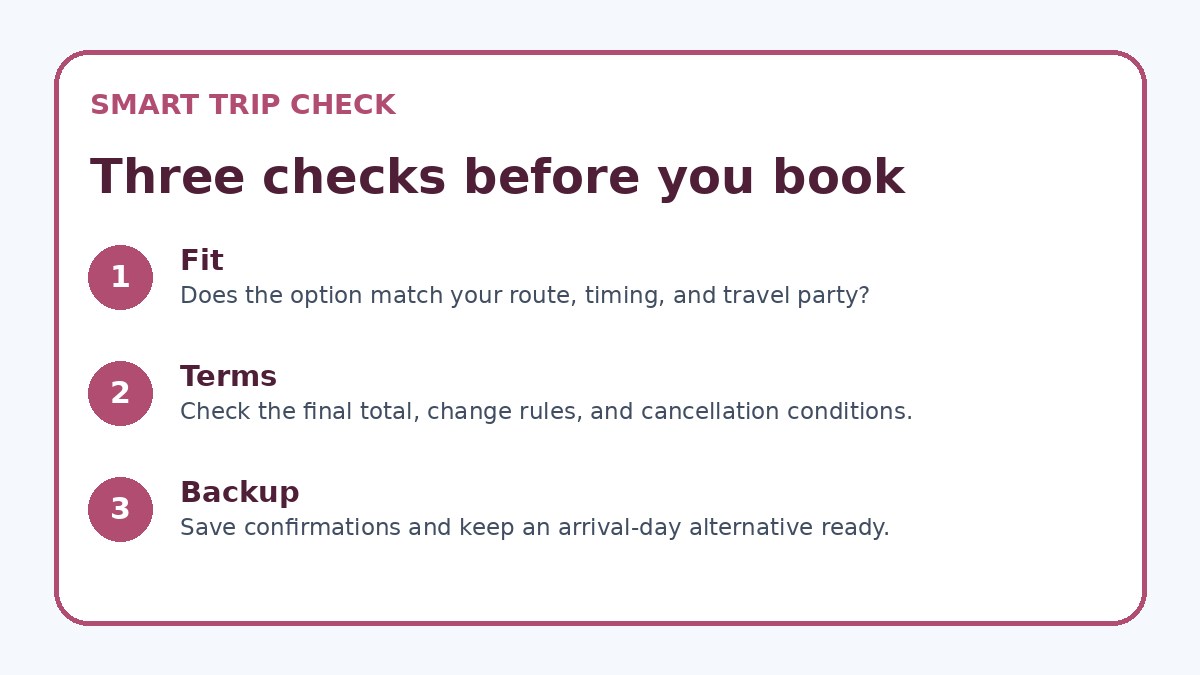
A lower fare is rarely worth a longer travel day when you’re traveling for work. Use alerts to compare complete itineraries: total travel time, number and length of connections, likely arrival time in Rome relative to meetings, and the convenience of airports versus central Rome. If an alert shows a cheaper flight that arrives late or requires an early morning connection, calculate the cost in lost meeting preparation or potential need for an extra night’s hotel. For hotels, compare distance to meeting sites and transit connections—not just nightly rate.
Also weigh comfort and recovery: business travelers perform better with sensible layovers and straightforward transfers. If a cheap option from an alert introduces significant jetlag or adds transit complexity in Rome, it may not be a true saving. Consider how ground transportation from Fiumicino or Ciampino will affect your schedule and whether the hotel’s location will keep you within a reliable taxi or transit corridor for evening meetings and airport runs.
Before you book
- Create separate alerts for outbound flights, inbound flights, and hotels, each named with trip dates and meeting location.
- Set a decision deadline for each alert and document a minimum savings or flexibility threshold required to trigger booking.
- Verify fare rules on the provider’s final booking page before booking: change fees, cancellation terms, baggage, and fare class.
- Compare total door-to-door time for flight options and estimate ground transport time from FCO or CIA to your meeting neighborhood.
- If company approval is required, pre-alert your travel manager when an attractive option appears and include screenshots of fare rules.
- Keep a short record of alerts you declined and why, and refine your alert thresholds based on what actually improved trip outcomes.
Practical monitoring and when to act
Monitor alerts on a schedule that matches your decision deadlines; don’t live‑refresh fares. Check alerts once or twice daily during a window when prices historically change for your route, and mark notable changes. If an alert meets your pre-set booking rules, act immediately but calmly: confirm policy details on the provider’s booking page, verify any visa or entry considerations if relevant, and ensure your company’s approval workflow is triggered in time. If approval will take longer than the sale window, prioritize refundable options or contact your travel manager to authorize an exception.
If several alerts converge—cheaper flight plus a hotel discount—evaluate them together for the combined impact on your schedule and budget. Use a simple scoring matrix (price, schedule, flexibility, commute) to decide. Keep a short log of alerts you ignored and why; over time this record helps refine your alert thresholds and reduces impulsive behavior because you’ll see when small savings failed to deliver real trip improvements.
Frequently asked questions
How should I set price alerts for Rome if my meeting dates might change?
If meeting dates are tentative, create alerts for your best-guess dates but prioritize flexible fare classes or refundable hotel rates. Set alerts for nearby date ranges (±1–2 days) rather than wide windows that produce irrelevant options. Add a rule to only book once internal dates are confirmed or if a refundable option appears that fits your policy. Note on any booking page you use: confirm change fees and how far in advance you must amend dates, because provider terms determine whether flexibility is practical.
Can alerts help with ground transport planning in Rome?
Yes—use hotel or location-based alerts to compare options near your meeting neighborhood and then check transit or taxi times to Fiumicino or Ciampino. When an alert surfaces a cheaper hotel, open the listing and verify the exact address, nearby metro or tram lines, and expected taxi times for peak hours. Alerts don’t show local traffic or transit disruptions, so always confirm last-mile details on transport provider pages or the hotel’s official information before committing.
What if an alert shows a great fare but my company needs advance approval?
If corporate approval is required, have a rule to seek provisional approval immediately when an alert meets your thresholds; include fare screenshots, cancellation terms, and total door-to-door time. If approval can’t be secured within the alert window, prioritize refundable fares or ask your travel team whether they can hold or buy on your behalf under corporate terms. Always confirm the provider’s booking page details and obtain written confirmation of approval before completing a non-refundable purchase.
Final planning note
Price alerts are a powerful tool for business travelers headed to Rome, but they must be paired with clear decision rules and a focus on schedule, flexibility, and corporate policy. Design targeted alerts that match travel dates and meeting neighborhoods, set enforceable booking thresholds, and always verify final fare conditions on the provider’s booking page before completing a purchase. Use alerts to surface opportunities, not to dictate instant decisions: comparing total travel time, transfer convenience, and cancellation terms will help you choose options that save money and protect your productivity. For a quick comparative check of current availability and conditions, consider looking at Trip.com as one of several places to verify live offers before booking.
Continue planning
Check current options and final conditions
Use the provider page to confirm live availability, the final total, cancellation terms, and every condition that matters to your trip.
This evergreen planning guide was created with AI-assisted drafting and a structured quality review. It does not display live prices, schedules, availability, visa guidance, or provider rankings. Verify current details before booking. Some links are affiliate links; we may earn a commission at no additional cost to you.