If you’re planning your first trip to Seoul, price alerts can save time and spotlight opportunities—but they’re also built to trigger fast clicks. The practical approach is to set focused alerts for the flights, hotels, and train or bus legs you actually need, then pair each alert with a short verification checklist before you book. That checklist should check total trip cost, refund or change rules, transfer times, and how the unfamiliar Seoul neighborhood fits your plans. Use a single alert tool or two complementary services so you can compare results, and don’t let a flashing deal override real logistics: confirm schedules, baggage rules, and last-mile transport from Incheon or Gimpo into the city before you pay.
See current options before you compare the details
Availability and final conditions change. Open Trip.com now or keep reading for the practical comparison.
Which alerts to set for a first Seoul trip
Start with the basics: flight alerts for your preferred airports, and hotel alerts for the neighborhoods you plan to use as a base. For flights, narrow searches to Incheon (ICN) and Gimpo (GMP) only if you can reach either conveniently—otherwise broaden to nearby airports if you’re willing to add a transfer. For hotels, choose 2–4 neighborhoods (for example central, historic, and one quieter district) and set alerts for the specific hotel types and room categories you intend to book. This focused approach reduces the volume of notifications and helps keep comparisons apples-to-apples when a tempting price appears.
Add practical travel alerts too: set fare alerts for popular intercity trains or express buses if you plan to take day trips from Seoul, and watch for package or combined offers if you prefer bundled bookings. If you use car services or airport transfers, consider alerts for those providers as well when available. Keep the alert parameters constant while you test different date windows—this reveals real price movement instead of one-off quirks and prevents you from booking the first cheap result that doesn’t actually fit your itinerary.
How to avoid impulse booking when an alert pings
Design a short waiting protocol that forces a pause between seeing a deal and finishing the booking. When an alert looks attractive, immediately open a comparison checklist: confirm total trip price including taxes and baggage, check cancellation and change fees, verify arrival and departure times, and map the last-mile transport from the airport. If the alert is for a hotel, confirm the exact room type, bedding, and whether the rate includes breakfast or refundable options. This habit turns the emotional impulse of a good-sounding headline into a rational decision based on the real cost and convenience.
Use a secondary check: compare the same itinerary across one other alert service or directly on the provider’s site before completing the purchase. When seat assignments or room photos matter, call or message the provider to confirm details you can’t verify online. If the fare requires a different loyalty program or special conditions, log that into your checklist too. The extra five to twenty minutes usually reveals restrictions or extra fees that can nullify the apparent deal, saving you stress or additional spending later.
| Approach | Best for | Tradeoff to check |
|---|---|---|
| Set narrow, targeted alerts | Travelers who want fewer notifications and cleaner comparisons | May miss unusual alternative routes or nearby airports with different costs |
| Use broad alerts across flexible dates | Those with flexible schedules hunting the lowest visible fares | High notification volume can prompt impulsive decisions without verification |
| Pair alerts with a mandatory verification checklist | Anyone who wants to balance speed and safety in booking | Adds time before booking, which can risk losing short-lived deals |
| Monitor alerts but wait for refundable rates | First-time visitors with uncertain plans who value flexibility | Refundable options are often more expensive than nonrefundable deals |
Ready to check the option that fits your plan?
Use your exact dates and traveler details so the provider page can show the current total and conditions.
Decision criteria: when to book and when to wait
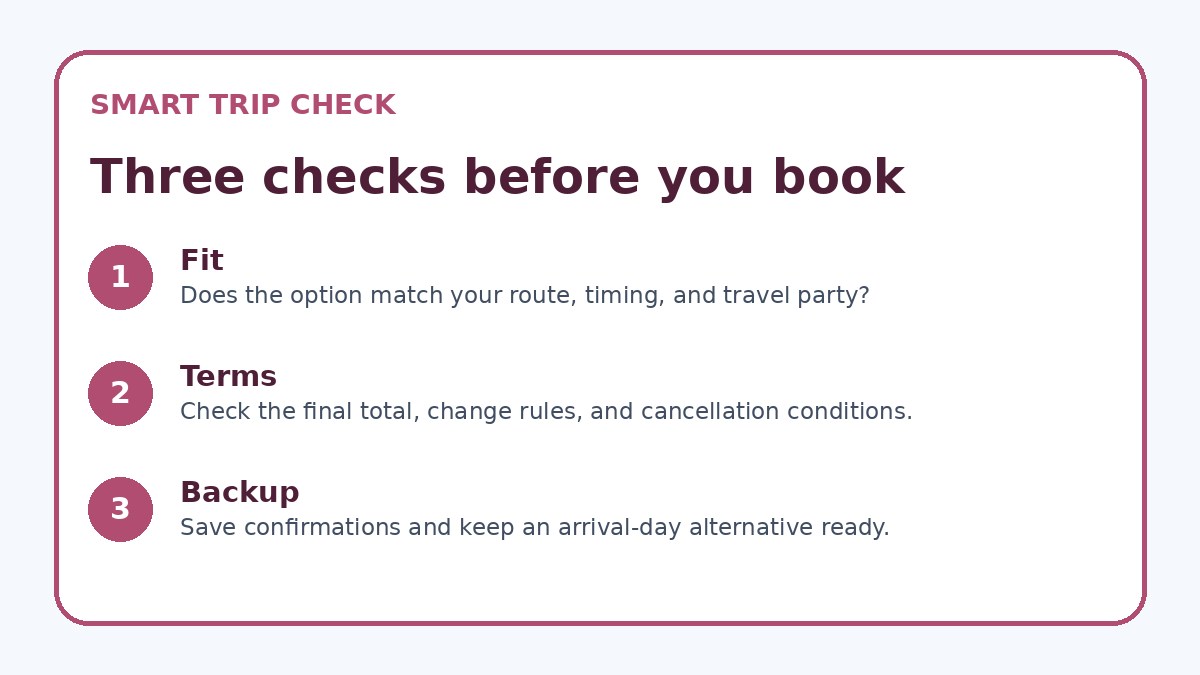
Create a short decision rubric you can apply quickly: accept a deal if it meets your maximum total budget, offers acceptable cancellation or change terms, and aligns with arrival logistics you can handle. If the deal lowers price but forces inconvenient arrival times, long transit connections, or requires nonrefundable tickets that conflict with uncertain plans, plan to wait for a better fit. For hotels, prefer a refundable or flexible rate if your schedule may shift; lock in nonrefundable lower rates only when your travel dates and flights are firmly confirmed.
Time sensitivity matters: if you’re traveling in a high-demand season or on hard dates (festivals, holidays), weigh the risk of waiting more heavily. Conversely, if you have flexible dates and price volatility is high, you can afford to watch alerts longer. Track historical patterns for the months you travel—price alerts over several weeks will show whether a low price is an outlier or part of a downward trend. Assign a deadline for each alert so you don’t passively monitor forever: after that date, either book or cancel the alert.
Before you book
- Confirm the total price on the final booking page, including taxes, fees, and any mandatory surcharges.
- Verify the cancellation and change policy wording; note deadlines and possible penalty amounts in your notes.
- Check exact arrival/departure times and whether connections or transfers are needed to reach central Seoul.
- Confirm baggage allowance or room inclusions (breakfast, extra beds) to avoid surprise add-ons at check-in.
- Map last-mile transport from the airport or station to your accommodation and estimate time and cost.
- Set a personal booking deadline for each alert to decide before the deal expires or to cancel the alert.
Tools, verification, and what to confirm on booking pages
Pick one primary alert tool and optionally a second for cross-checking; consistency helps you see real movement. Many alert systems let you set price thresholds, date ranges, and cabin or room classes—use these filters. Keep a short spreadsheet or note with saved alert screenshots and timestamps so you can track when the price appeared and whether it included extras like baggage or breakfast. If you use Trip.com as one source, treat it like any other provider: verify the final total and terms on the provider’s own booking page when possible.
Always verify four things on the provider’s final booking page: the full total (including taxes and mandatory fees), the exact cancellation and change rules, the specific transport or arrival time, and any conditions about baggage or check-in. For hotels, confirm check-in/out times and whether city taxes or deposits apply at arrival. For flights, verify if seat selection or checked baggage is included or sold separately. If anything is unclear, contact the seller before paying—don’t rely solely on alert text or headline prices.
Frequently asked questions
How many price alerts should I set for a Seoul trip?
For a first-time visit, set three to five focused alerts: two for flights (preferred airport and an alternate), one or two for hotels in different neighborhoods you’re considering, and one for any long-distance train or bus legs. This keeps your inbox manageable while covering realistic options. If you’re flexible with dates, create separate alerts for each date window rather than a single broad search; that produces clearer comparisons and reduces false alarms that lead to impulsive booking.
What trigger should make me ignore an alert and keep searching?
Ignore alerts that don’t meet your verification checklist: price headlines that exclude taxes or mandatory fees, nonrefundable tickets when your plans aren’t locked, inconvenient arrival times with extra overnight transfers, or rooms with unclear bedding or check-in rules. Also be wary of alerts that require complicated third-party transfers or extra hidden costs. If any of these red flags appear, mark the alert as ‘watch’ and continue searching rather than booking immediately.
Can I rely on alerts to find the cheapest option for Seoul travel?
Alerts help reveal price movements but aren’t a guaranteed path to the cheapest overall option because they depend on your filters, dates, and the alert service’s data. Use alerts to identify candidate fares or room rates, then cross-check the provider’s final booking page for total cost and terms. Comparing at least one other alert source or the provider’s site helps ensure a headline price isn’t missing fees or restrictions that make it less attractive in practice.
Final planning note
Price alerts are a practical tool for first-time visitors to Seoul when used with discipline. Focus alerts on specific airports, dates, and neighborhoods to keep notifications useful, and pair every alert with a short verification checklist covering total cost, policies, and arrival logistics. Decide in advance whether flexibility or lowest cost matters more to you, and give alerts a brief, scheduled review window to avoid emotional booking. Finally, always verify the final details on the provider’s booking page before paying—this small habit prevents most post-booking regrets and keeps your Seoul trip planning calm and deliberate.
Continue planning
Check current options and final conditions
Use the provider page to confirm live availability, the final total, cancellation terms, and every condition that matters to your trip.
This evergreen planning guide was created with AI-assisted drafting and a structured quality review. It does not display live prices, schedules, availability, visa guidance, or provider rankings. Verify current details before booking. Some links are affiliate links; we may earn a commission at no additional cost to you.