
If you travel to Osaka for work, price alerts can save money but also tempt quick, poorly timed bookings. The practical approach is to use alerts as information tools rather than triggers. Set alerts for a small set of realistic date ranges and routes, then create simple decision rules: compare the alerted fare or rate to a threshold based on refundable options, corporate policy limits, and time until travel. When an alert meets those rules, verify final terms on the provider’s booking page—confirm change and cancellation policies, any corporate-booking requirements, and the total out-the-door cost including taxes and fees. Treat alerts as prompts for a short verification checklist rather than permission to click immediately.
See current options before you compare the details
Availability and final conditions change. Open Trip.com now or keep reading for the practical comparison.
Create clear alert rules tailored to business needs
Start by limiting what you watch. Choose the specific airport pairs, travel dates, and times that match your likely meeting windows in Osaka instead of broadly tracking all low fares. For hotels, monitor a shortlist of properties near your meeting location or transport hubs rather than the entire city. Narrowing your scope reduces the volume of alerts and helps you focus on business-relevant savings. Include backup dates that are acceptable to your meeting hosts so you can spot meaningful savings that still meet your schedule constraints.
Define numeric and policy thresholds for taking action. For example, decide that an alerted fare or nightly rate must be a certain percentage below the average you’ve seen, or it must match a refundable or changeable booking class within your company’s travel policy. Include timing rules: if travel is within a short window, prefer refundable or flexible fares even if slightly costlier. These predefined thresholds stop you from making emotionally driven snap purchases the moment a notification arrives.
Use alerts as a research prompt, not a booking command
When an alert pops up, treat it as the start of verification rather than the end. Open the provider’s full booking page and check the fare or rate conditions: change fees, refundability, advance purchase requirements, and whether seat selection or breakfast are included. Cross-check with your company’s travel policy or procurement tool to confirm whether the fare class or hotel rate qualifies for reimbursement or central booking. If you’ve been given a corporate credit or agency booking requirement, confirm how to route the purchase so it complies.
Also compare the alerted option to other close alternatives before committing. Look at refundable fares, nearby hotels with flexible cancellation, and different flight times that might slightly increase cost but reduce risk of disruption. If using an alert service or aggregator, double-check availability and final price on the provider’s own site before booking. Trip.com can be a useful place to compare availability quickly, but always verify the final terms and total price on the airline’s or hotel’s booking page to avoid surprises.
| Approach | Best for | Tradeoff to check |
|---|---|---|
| Always book alerted nonrefundable deals | Fixed schedules with confirmed approvals | Low price but high risk and potential change costs |
| Wait for refundable/flexible options | Itineraries likely to change or lengthy business trips | Higher upfront cost, lower disruption risk |
| Use alerts to monitor only then call travel manager | Corporate processes requiring oversight | Slower booking and potential loss of very short-window savings |
| Set alerts with automated buy rules (if available) | Highly routine trips with strict thresholds | Risk of automated impulse purchases if thresholds are too loose |
Ready to check the option that fits your plan?
Use your exact dates and traveler details so the provider page can show the current total and conditions.
Weigh tradeoffs: flexibility, cost, and corporate policies
Price alerts often surface nonrefundable bargains that tempt short-term savings but increase risk. For business travel, the cost of last-minute changes, missed meetings, or rebooking can exceed the upfront savings. Evaluate the likely need for changes—tight meeting schedules, unpredictable client timing, and multi-city trips raise the value of flexibility. If your company permits a higher base fare in exchange for ease of changes, put that premium into your decision formula rather than chasing the lowest headline price.
Conversely, if your itinerary is fixed, a lower nonrefundable rate may be the smarter choice. Use your alert thresholds to capture those times when the low price aligns with confirmed dates and internal approvals. Always document approvals from managers or travel administrators if you choose nonrefundable purchases to protect reimbursement. Finally, balance personal convenience with corporate process: some companies require bookings through approved channels, so poor compliance can create paperwork or denied expenses later.
Before you book
- Limit alerts to the exact Osaka airport(s), travel dates, and hotel zones you’ll actually use for meetings.
- Set numeric thresholds for action: percentage savings or absolute amounts that justify further checks.
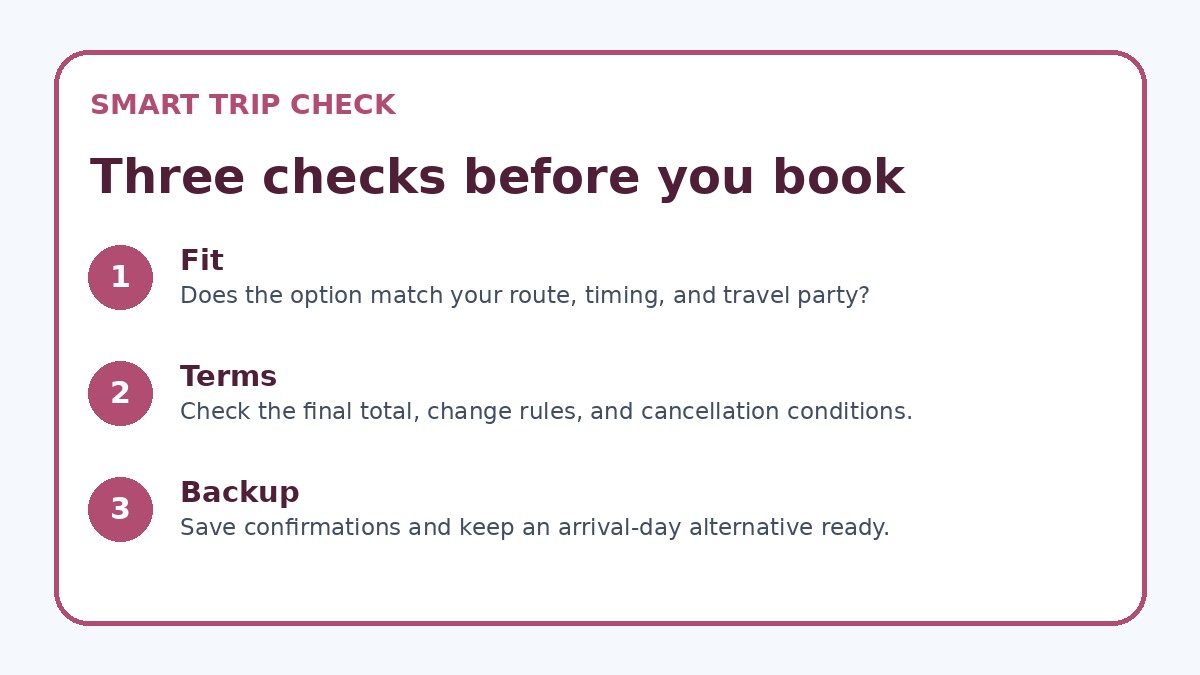
- When alerted, open the provider’s booking page and confirm total price, taxes, and final terms before any purchase.
- Check company travel policy and secure manager approval for nonrefundable or out-of-channel bookings.
- Save screenshots, alert timestamps, and approval emails in one folder for expense and audit purposes.
- After booking, recheck cancellation windows and set follow-up alerts only if your itinerary allows changes.
Practical booking steps and post-booking safeguards
After an alert clears your decision rules, follow a short verification checklist before booking: confirm total price with taxes and fees, verify refund/change rules, check whether seats or rooms meet your needs, and note any loyalty benefits or corporate codes that apply. If you must book outside approved channels due to a time-sensitive alert, capture screenshots of the offer and approvals, and forward them to your travel manager. For hotels, confirm check-in/check-out times and whether the rate includes breakfast or incidental charges that affect expense reports.
Once booked, set secondary alerts for schedule changes or price drops if your travel plans allow. Many airlines and hotels allow free or low-cost changes within a certain window; track those periods in case a better option appears and your policy permits swapping. Maintain an easy-to-find folder with booking confirmations, payment receipts, and insurer or corporate contact numbers for quick action if plans change. This reduces stress and helps the rest of your trip run smoothly while still capturing value from price alerts.
Frequently asked questions
How many alerts should a business traveler monitor for an Osaka trip?
Keep the number small: focus on the specific flight routes you’ll use and two or three hotels near your meeting location or transport hub. Tracking dozens of variations creates noise and increases the temptation to book impulsively. Narrow alerts to the combinations that fit your schedule, and use backup dates only if your meeting host has indicated flexibility. Fewer, targeted alerts make decision rules practical and reduce the time you spend reacting to every notification.
What if an alert shows a rate that’s much lower but is nonrefundable?
Treat that as a scenario, not an automatic buy. Compare the savings to the expected cost of a likely change: would changing travel cost more than the saved amount? If your schedule is fixed and you have manager approval, a nonrefundable deal can be efficient. If there’s any chance the trip will shift, prefer refundable or flexible fares even if they cost more. Always document the approval and verify final terms on the booking page before paying.
Can price alerts be integrated with corporate booking tools?
Some alert services and corporate booking platforms offer integrations or forwarding mechanisms, but capabilities vary. If your company requires bookings through a managed tool, route alert intelligence to your travel manager or use the platform’s watchlist features so approved channels can act on them. If you must book outside approved channels because of timing, keep approvals and receipts handy for reconciliation. Verify any corporate-card or booking-code requirements on the provider’s final checkout page to avoid expense issues.
Final planning note
Price alerts are valuable for business travel to Osaka when used with discipline. The core practice is to convert alerts into evidence for a short verification process: compare alerted offers against refundable options, confirm policy compliance, and document approvals before buying. Narrow alerts to business-relevant routes and properties, set numeric action thresholds, and preserve records to simplify expense reconciliation. With those guardrails, alerts help you capture savings without creating unnecessary disruption—letting you protect both your schedule and your company’s procurement rules while still benefiting from market movement.
Continue planning
Check current options and final conditions
Use the provider page to confirm live availability, the final total, cancellation terms, and every condition that matters to your trip.
This evergreen planning guide was created with AI-assisted drafting and a structured quality review. It does not display live prices, schedules, availability, visa guidance, or provider rankings. Verify current details before booking. Some links are affiliate links; we may earn a commission at no additional cost to you.