If you travel to Doha for work, price alerts can save time and surface opportunities without tethering you to your laptop—but only if you treat them like signals, not orders. The practical plan: configure narrow alerts for your preferred dates and class, set clear decision rules (schedule fit, cancellation flexibility, and total trip cost including transfers), then let alerts sit until one meets all criteria. Resist instant booking by using a brief cooling-off routine: verify corporate policy or expense approval first, compare refundable versus nonrefundable tradeoffs, and confirm final provider terms on the booking page. These steps keep you ready to act on real value while avoiding impulsive purchases that complicate travel plans.
See current options before you compare the details
Availability and final conditions change. Open Trip.com now or keep reading for the practical comparison.
Design alerts that respect your business schedule
Business travel to Doha requires matching flight times to meetings and minimizing downtime; an alert that flags a cheap overnight connection may be useless if it means missing morning appointments. Start by defining the acceptable time windows for departure and return, maximum total travel time, and whether evening arrivals or early departures are tolerable. Use those exact parameters when creating alerts so your inbox fills only with options that could actually work. That reduces temptation and streamlines decision-making when a meaningful price change occurs.
Also include cabin and loyalty preferences in the alert criteria. If you need business class for rest on overnight sectors or rely on a frequent-flier program for upgrades and lounge access in Doha, filter alerts accordingly. This keeps flagged fares relevant and avoids spending time checking tickets that fail to deliver needed benefits. When an alert matches, verify the flight schedule and connection margins on the airline’s booking page before advancing to corporate approval or payment.
Set decision rules to prevent impulse purchases
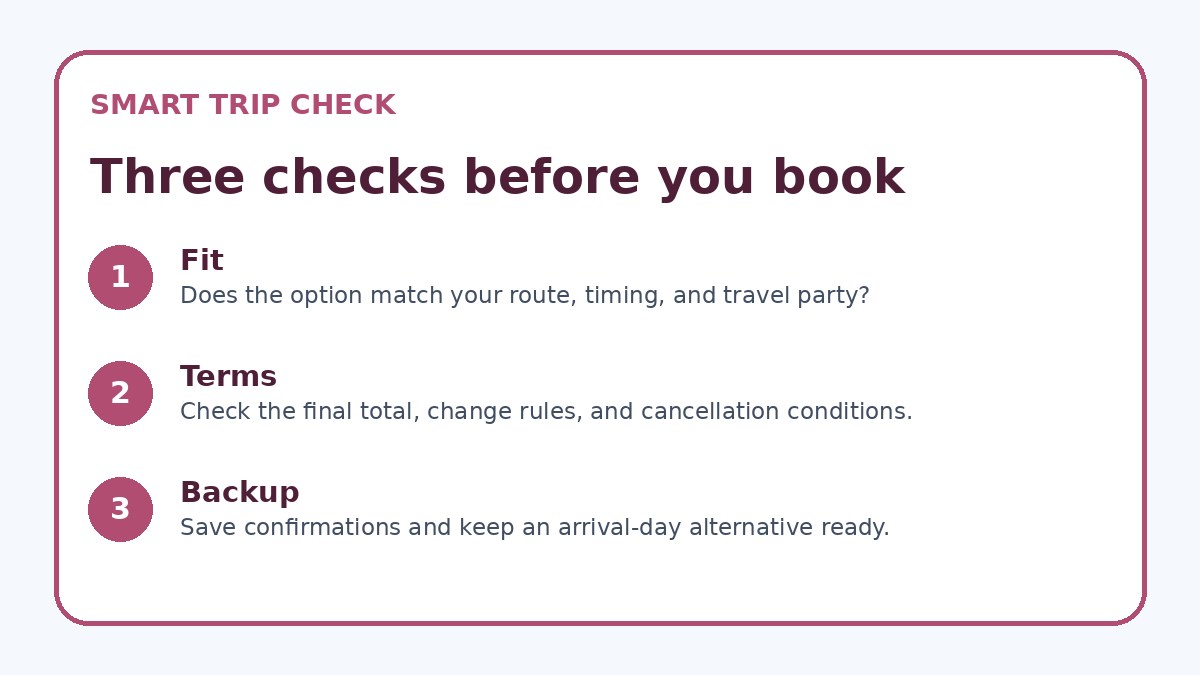
Impulse bookings often happen when alerts trigger a perceived deadline. To avoid that, create a simple decision framework: 1) Does the itinerary fall within your approved schedule window? 2) Is the fare type refundable or changeable within your corporate policy? 3) Does the total cost, including baggage and transfers, fit the budget? If the answer is yes to all, proceed to step 4: confirm expense approval if required. Keep this checklist as your default response to any alert to remove emotion from the booking choice.
Add a mandatory cool-off period that fits your workflow: for example, wait two business hours after an alert before finalizing a nonrefundable ticket, or allow overnight reflection for complex schedules. During that time, compare the flagged fare to at least one alternative from an airline or a corporate travel tool and check the final booking terms on the provider’s site. If your company enforces advance approvals or travel agency bookings, forward the alert information immediately rather than booking directly.
| Approach | Best for | Tradeoff to check |
|---|---|---|
| Immediate booking on alert | When travel dates are locked, approvals are pre-cleared, and the fare meets all policy requirements | Risk of impulse purchases and accepting less flexibility without comparison |
| Hold-and-compare before booking | Travelers who need to weigh schedule, total cost, and corporate approval before committing | Possible loss of a short-lived fare if you delay too long |
| Let travel manager or TMC book | Employees with strict corporate policies or who prefer centralized booking oversight | Slower response time and potential missed flash fares that require instant action |
| Set a stricter alert filter | Busy professionals who want fewer, more relevant alerts that match exact needs | May miss broader market swings and occasional opportunistic savings |
Ready to check the option that fits your plan?
Use your exact dates and traveler details so the provider page can show the current total and conditions.
Compare flexibility, total cost, and non-ticket elements
A fare’s headline price is only part of the business travel equation. Always check cancellation or change fees, baggage allowances, seat assignment policies, and whether the fare earns elite or redeemable miles. These items can materially affect the value of a deal for a business traveler heading to Doha, where same-day or last-minute scheduling changes are common. Confirm each element on the carrier’s final booking page before relying on the alert.
Also factor in ground logistics in Doha: airport transfers, meeting locations, and visa needs if applicable. A cheaper flight with poor arrival time or long transfers can cost you productivity and extra local transfers. Use the alert as a prompt to do a quick total-cost comparison that includes taxis, ride-share availability, or hotel shuttles; this full picture will help you decide if the alert is truly a deal for your trip.
Before you book
- Define acceptable flight times, maximum total travel time, and preferred cabin class before creating alerts.
- Add baggage, seat assignment, and mileage credit checks to the items you verify on the carrier’s final booking page.
- Confirm your company’s travel approval and expense rules before purchasing any ticket triggered by an alert.
- Use a two-step rule: alert triggers comparison, then a mandatory cool-off period before payment on nonrefundable fares.
- Calculate ground transfer options and costs in Doha to ensure arrival time works with meetings and hotel check-in.
- If using a third-party comparison site, always verify total price and cancellation terms on the provider’s official booking page.
Use tools and teammates to keep alerts disciplined
Automate where possible: set multiple alerts with different sensitivity—one narrow for strict schedule matches, one wider for last-resort savings. Route alerts and summaries to a single folder or to your travel manager so they’re visible but not intrusive. If your company works with a travel management company, ask them to monitor alerts on your behalf and apply corporate rules before booking. That way you benefit from price movement without making lone decisions that may conflict with policy.
When an alert looks promising, use a short group check: message your travel coordinator or assistant with the itinerary, alert screenshot, and your checklist responses. This prevents hurried solo purchases and ensures the ticket aligns with approvals, expense codes, and reimbursement procedures. If you use a commercial comparison platform like Trip.com, cross-check availability and final terms on the carrier or hotel booking page because provider-specific pages show the true change and cancellation language you must accept.
Frequently asked questions
How narrow should I make my Doha price alerts for business trips?
For business travel, narrow alerts work best: restrict by your exact travel window, preferred cabin, and maximum total travel time. Broader alerts may find lower headline fares but produce more noise and tempt impulse checks. If your schedule is flexible, maintain a secondary, wider alert for backup options and last-resort savings. Regardless of width, always verify final flight times, connections, baggage rules, and fare conditions on the carrier’s booking page before booking.
Can I rely on alerts to capture refundable fares or seats with flexible change policies?
Alerts can include refundable or flexible fare classes if your alert tool supports fare-type filters. However, the alert often links to a summary; you must open the carrier or agency booking page to confirm the exact change and cancellation conditions. Always read the fare rules shown at checkout because some refundable fares include significant penalties, and flexible tickets may have blackout conditions. If flexibility is essential, prioritize fares explicitly labeled refundable or changeable and verify the provider’s final terms.
What’s the best way to avoid booking a misleading 'deal' that complicates my Doha schedule?
Treat every alert as a prompt to run a quick decision checklist: check schedule compatibility, total door-to-door cost, and fare rules, then seek corporate approval if required. Use a short cooling-off period to compare alternatives and confirm transfers or hotel arrangements. When in doubt, route the alert to your travel manager or use a corporate travel tool to ensure bookings align with policy. This process reduces the chance of accepting a low headline fare that carries prohibitive change fees or inconvenient timings.
Final planning note
Price alerts are powerful for business travel to Doha when used as disciplined tools rather than triggers for instant spending. By narrowing alerts to match your schedule and cabin needs, applying a simple decision checklist, and insisting on a brief cool-off and verification step, you can capture meaningful savings without risking itinerary disruption. Use travel managers or corporate tools to centralize approvals, and always confirm final fare rules and total cost on the provider’s booking page before paying. With clear rules and a pragmatic workflow, alerts become time-saving signals that support smarter, stress-free business trips to Doha.
Continue planning
Check current options and final conditions
Use the provider page to confirm live availability, the final total, cancellation terms, and every condition that matters to your trip.
This evergreen planning guide was created with AI-assisted drafting and a structured quality review. It does not display live prices, schedules, availability, visa guidance, or provider rankings. Verify current details before booking. Some links are affiliate links; we may earn a commission at no additional cost to you.