If you travel to Sydney for work, price alerts can save time and money—but they can also trigger impulse bookings that upend schedules. The practical answer: treat alerts as signals, not commands. Set precise alert criteria (dates, refundable fares, cabin class, refundable hotels), combine automated alerts with a short evaluation checklist, and give yourself a firm decision window before confirming. Use corporate policy or a delegated approvals system when possible. That way you keep the convenience of automated monitoring while avoiding last-minute buys that conflict with meetings, visa requirements, or expense rules. Below are step-by-step tactics, tradeoffs to consider, and decision criteria tailored for business itineraries to Sydney, so you can act confidently when a genuine opportunity appears.
See current options before you compare the details
Availability and final conditions change. Open Trip.com now or keep reading for the practical comparison.
Set alert rules that match business needs
Price alerts are most useful when they only report changes that matter to a business trip. Configure alerts for the specific cabin class you normally use, for your preferred departure and arrival airports, and for a narrow date window around your meetings. If your schedule allows a day or two of flexibility, set separate alerts for those alternate dates as well. Exclude deeply restricted basic fares unless your company policy permits them; instead focus on refundable or exchangeable fares that preserve itinerary control.
Also choose which booking channels to monitor. Corporate travel portals, airline direct sales pages, and mainstream comparison tools each show different inventory and rules. If a fare requires review (nonrefundable, mixed-cabin, or long layovers), flag it for travel-manager approval rather than automatic booking. Finally, set alert triggers for fare class codes or specific refund/change rules if your alert tool supports advanced filters—this reduces noisy alerts that lead to impulsive decisions.
Design a short decision checklist to avoid impulse buys
When an alert pings, run it through a short checklist before booking. Check calendar conflicts, confirm visa or entry conditions, estimate ground transfer times in Sydney relative to meeting locations, and ensure the fare meets corporate expense rules. Add a simple cost comparison: is the alerted fare meaningfully better than known flexible fares? If the savings are marginal, prioritize schedule reliability and refundability.
Keep the checklist bite-sized—five items maximum—and store it in your phone so you can complete it within your cooling-off window. If your company requires pre-approval, include a mandatory consult with the travel manager or your approver on the checklist. That small friction point stops emotional, last-minute purchases and ensures the booking aligns with both operational needs and expense compliance.
| Approach | Best for | Tradeoff to check |
|---|---|---|
| Automatic booking on price drop | Travelers with fixed, simple schedules and delegated approval | Fast action but risks impulse purchases and policy noncompliance on complex itineraries |
| Alert + mandatory cooling-off window | Most business travelers balancing speed and verification | Might miss extremely short-lived fares but reduces poor-fit bookings |
| Alert routed to travel manager for approval | High-value trips or mixed-provider itineraries requiring oversight | Slower decision process and potential for lost last-minute opportunities |
| Passive monitoring with curated templates | Frequent Sydney travelers who prefer repeatable, low-decision trips | Less nimble for one-off opportunities that require bespoke routing |
Ready to check the option that fits your plan?
Use your exact dates and traveler details so the provider page can show the current total and conditions.
Balance speed with safeguards for on-the-go booking
Business travel often requires fast action, so design safeguards that don’t slow you down. Use mobile apps from your corporate booking tool or retain a saved passenger profile and payment method with clearly labeled corporate cards to speed checkout. At the same time, configure two quick safeguards: a short mandatory pause (for example, a timed reminder 30–60 minutes after the alert) and a toggle to only allow bookings that include free changes within 24–48 hours.
If you regularly travel to Sydney, create template trips that include preferred hotels, airport transfers, and seat-class preferences. That reduces decision fatigue when an alert appears, but be vigilant about verifying flight times and surface travel in Sydney before finalizing. Always confirm refund/change conditions on the provider’s final booking page—websites and apps sometimes show different rules—so you know the real flexibility you’re buying.
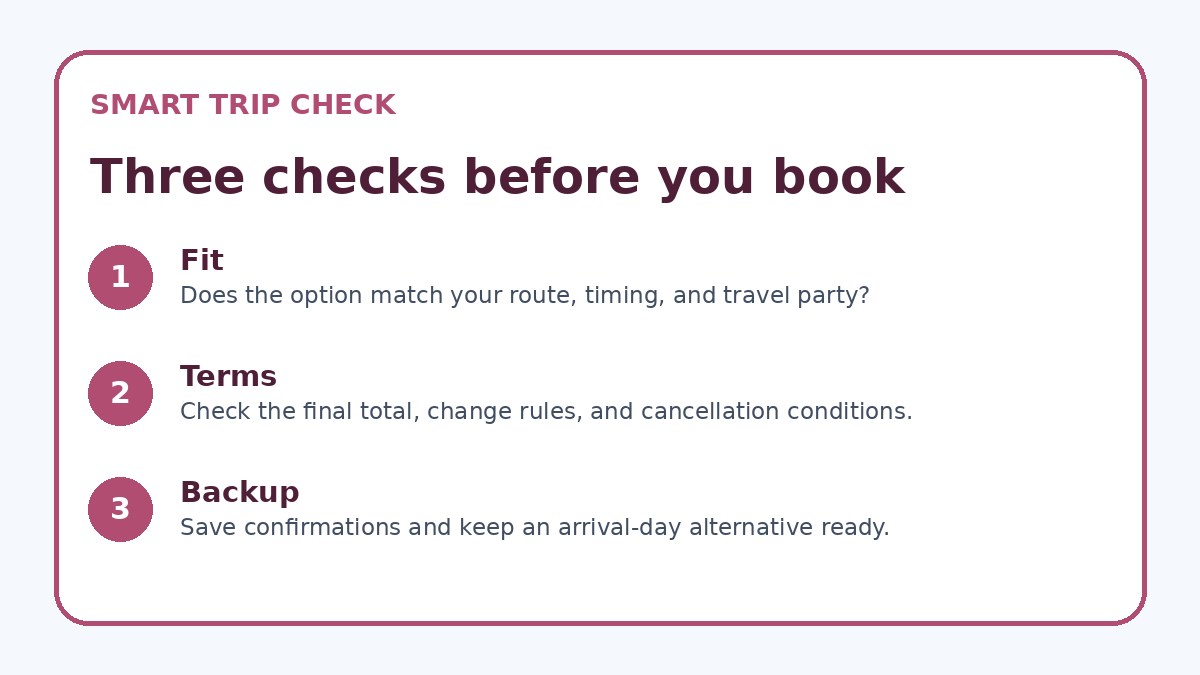
Before you book
- Confirm meeting dates and times in Sydney and check airport-to-meeting travel time for the proposed flight schedule.
- Verify fare rules on the booking page: refundability, change fees, baggage allowance, and any blackout or advance-purchase conditions.
- Compare the alerted fare with your company’s preferred corporate rates or travel portal offers to ensure policy compliance.
- Estimate total trip cost including transfers, overnight stays, and possible visa or health requirements before finalizing the booking.
- If the fare is out-of-policy, request and record written approval from your travel manager or approver before paying.
- Save the alert screenshot and your quick checklist notes with the booking record to simplify expense reporting and post-trip review.
When to act: tradeoffs and decision triggers
Decide in advance which conditions justify immediate booking: a significant fare drop to a refundable cabin, a fare that replaces a longer connection with a direct option, or an alert that resolves a schedule conflict while keeping expense rules intact. Conversely, avoid booking when the alert refers to a nonrefundable basic fare, introduces a risky overnight connection, or requires out-of-policy payment unless you have clear approval. Lay out a savings threshold—percent or absolute amount—that will prompt an exception request to your approver.
Other practical triggers include seat availability for a preferred cabin on a given day, sudden reduction in total journey time that materially improves meeting coverage, or a bundled hotel+flight package that meets corporate vendor terms. For any rapid decision, document why you booked: note the alert, the savings calculation, and approvals. That protects you during expense reconciliation and supports future policy refinements for booking alerts.
Frequently asked questions
How should I set price alerts for a multi-leg business trip to Sydney?
For multi-leg itineraries, create separate alerts for each segment with the same departure and arrival constraints you need (cabin class, refundable or flexible fares). In addition to segment alerts, monitor the total itinerary price for bundled offers that can change the cheapest routing. Always verify connection times on the final booking page, because a lower overall price may depend on risky short layovers or separate-leg tickets that aren’t protected if one flight is delayed. If your travel policy prefers through-ticketing, prioritize alerts that show through-fares with protected connections.
Can I rely on a single alert tool for Sydney travel deals?
Relying on one tool increases the risk of missing inventory or specific corporate fares. Use at least two sources: your company’s corporate booking portal and one or two reputable alert services or airline direct alerts. Trip.com can be used as an optional place to compare availability and terms, but always confirm critical fare rules and refund/change conditions on the provider’s final booking page before paying. Cross-checking reduces surprises, especially for business trips that require flexibility and adherence to corporate rules.
What cooling-off period is reasonable for business booking decisions?
A reasonable cooling-off period depends on the trip value and company procedures. For routine domestic or short-haul flights, 24 hours may be enough; for long-haul or complex itineraries to Sydney, 48–72 hours gives time to confirm logistics, approvals, and visa/entry checks. If an alert presents a compelling refundable fare that meets all rules, you can shorten the pause. The key is to standardize the window in your decision workflow so it becomes a predictable step rather than an ad-hoc hesitation that leads to rushed or regretful purchases.
Final planning note
Using price alerts for Sydney travel deals makes sense for business travelers if you convert alerts into informed actions, not emotional decisions. Set precise alert filters, require a short verification checklist and cooling-off window, and use corporate approvals when needed. Keep templates and saved profiles to speed booking without sacrificing oversight. Finally, always verify refund and change rules on the provider’s final booking page and document approvals for expense reporting. With these routines you can benefit from automated monitoring while protecting schedules, budgets, and policy compliance on your next trip to Sydney.
Continue planning
Check current options and final conditions
Use the provider page to confirm live availability, the final total, cancellation terms, and every condition that matters to your trip.
This evergreen planning guide was created with AI-assisted drafting and a structured quality review. It does not display live prices, schedules, availability, visa guidance, or provider rankings. Verify current details before booking. Some links are affiliate links; we may earn a commission at no additional cost to you.